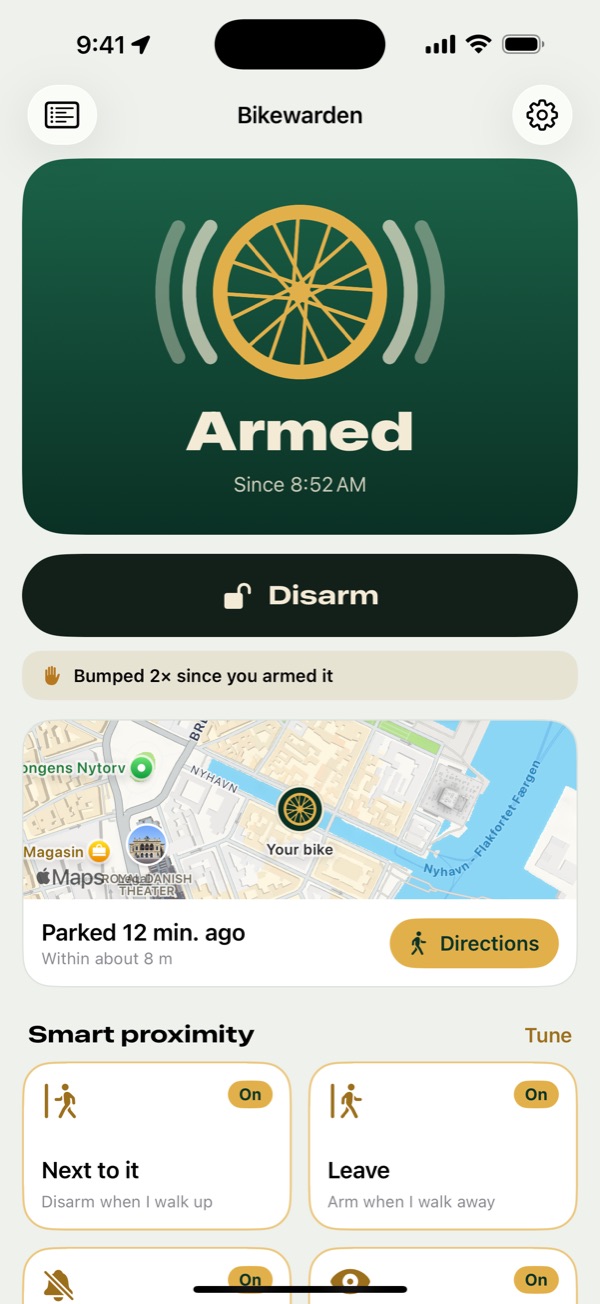
Know the moment it goes off
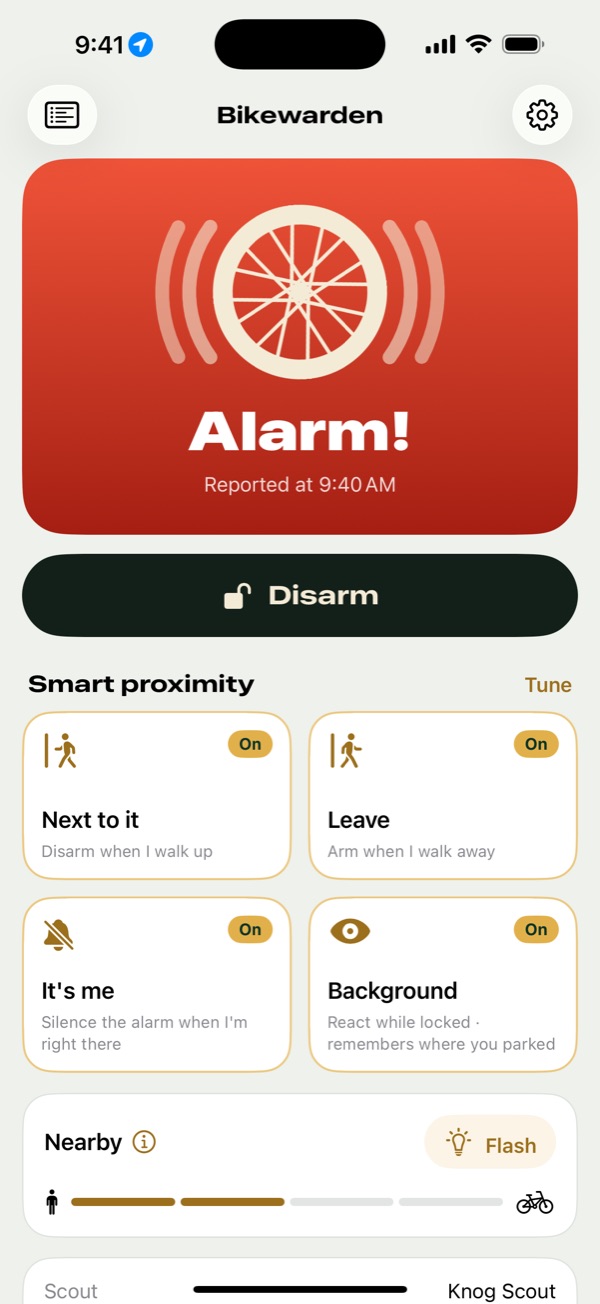
When your Scout goes off, Bikewarden sends a Time Sensitive alert that breaks through Focus, with a Disarm button right on it.
It's me
Set it off yourself? If your phone is right next to the bike, Bikewarden silences the alarm within about a second. Someone a few metres away doesn't count.
Bumps while you're away
While armed, the Scout counts light knocks. Bikewarden tells you about them, and sums up what happened when you come back.
Everything at a glance
Armed or not, how close you are, the battery level and where you parked, on one screen.
Arm it without opening the app
Bikewarden is wherever your thumb already goes.
- Lock Screen widgetsSee whether it's armed before you even unlock.
- Live Activity and Dynamic IslandStays on the Lock Screen while your bike is armed, with Disarm one tap away.
- Control CenterOne toggle, next to the rest of your controls.
- Siri and the Action buttonSay
Arm my bike with Bikewarden
, or put it on the Action button. - Home Screen widgetsStatus and an Arm button, in small or medium.
On your wrist, too
The Apple Watch app shows your alarm's state and arms or disarms it from your wrist.
Feel it on your wrist
Alarm alerts reach your watch as well, so you notice them with your phone in a bag.
Walk back to your bike
Turn the Digital Crown for a map of where you parked and walking directions.
Battery and distance
Your Scout's battery and how close you are, one turn of the crown away.
Arms when you walk away
Bikewarden reads Bluetooth signal strength to know how close you are, and can act on it. Smart proximity stays off until you switch it on.
Leave
Arms the Scout once you've been away for the delay you set. If the signal is about to drop, it arms straight away.
Next to it
Disarms when you come back, but only after you've walked away first, so it never undoes an arm while you're still standing there.
Fine-tune
Calibrate once next to your bike, so the distances match your pocket or bag.
Free to use. Pro when you want more.
Arming, disarming and alarm alerts are free for good. Disarming works from every surface, with or without Pro.
Free
Everything you need to use your Scout.
- Arm and disarm in the app
- Alarm alerts
- Disarm from alerts, widgets and the Watch
- Movement sensitivity and tuning
- Battery level
Bikewarden Pro
One-time purchase. Try it free for 7 days.
- Lock Screen and Home Screen widgets
- Control Center, Siri and Shortcuts
- Live Activity and Dynamic Island
- Arm when you leave, disarm when you're back
- It's me
- Background watching and your parking spot
- Bump alerts and the away summary
- The Apple Watch app
Getting started
- Set up your Scout in Knog's app first. Bikewarden works alongside it.
- Open Bikewarden and tap Look for my Scout. Keep the Scout close and press its button to wake it.
- Allow notifications, so alarm alerts can reach you.
Setting up a new alarm, firmware updates and Find My stay in Knog's app and Apple's Find My app. Bikewarden works while your iPhone is in Bluetooth range of your bike, and it's no substitute for a good lock.
Help
Write to us and we'll get back to you.
Tell us your iPhone model and iOS version. If the problem is with the connection, you can attach the Diagnostics log: open Diagnostics at the top left of the main screen and tap Share.
Bikewarden can't find my Scout
Make sure the Scout is set up in Knog's app and close to your iPhone, then press its button to wake it. Check that Bluetooth is on and that Bikewarden is allowed to use it in the Settings app.
I didn't get an alert when the alarm went off
Alerts only arrive while your iPhone is in Bluetooth range of the Scout, and only if notifications are on for Bikewarden. Don't swipe Bikewarden away in the app switcher: iOS then stops waking it for your Scout.
How do I get Pro back on a new iPhone?
In Bikewarden, go to Settings, tap Bikewarden Pro, then Restore Purchases. Pro also works for your Family Sharing group.
Can Bikewarden update my Scout or show it in Find My?
No. Firmware updates and setup stay in Knog's app, and Find My stays in Apple's Find My app.